
Rotating Focus Carousel
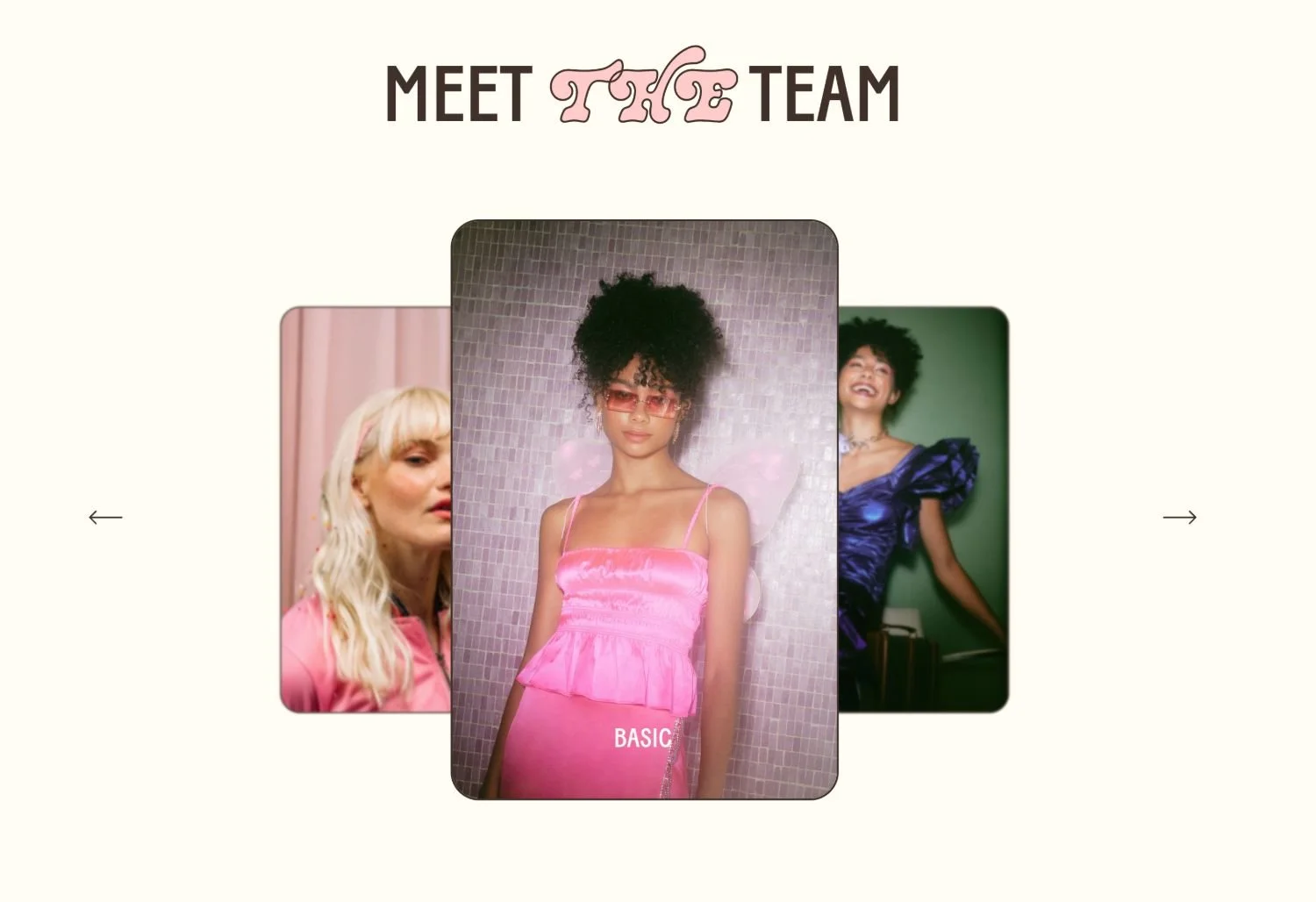
What You'll Create
A dramatic carousel where the active center slide is prominent while inactive slides blur, compress, and recede to the sides. Creates a focused spotlight effect that draws attention to the current item.
The Problem It Solves
Standard carousels show all visible slides equally, making none feel special. When you want that cinematic focus effect - sharp center item with blurred, compressed side items - you need CSS transforms and filters to differentiate active from inactive slides.
Perfect For
Featured project showcases, Hero carousels, Product spotlights, Portfolio highlights, Award displays.
What Makes This Different
The CSS targets slides based on their transform style to identify active vs inactive items. Active slides get elevated z-index and full clarity, while inactive slides receive blur filters and compressed transforms that push them aside. The visual hierarchy makes the current slide unmistakably prominent.
Details
• Skill Level: Intermediate
• Squarespace Version: 7.1
• Section Type: Fluid & Classic
• Code Type: CSS
• Prerequisites: Focus List Carousel setup completed first
Learn This Technique
This is one of the code techniques taught inside Standout Squarespace, where you get:
• The complete, copy-paste code
• Video walkthrough explaining how it works
• The principles behind the technique so you can customize it
• Access to our private community for support